How to Digitize Old Yearbooks: A Complete Step-by-Step Guide for Schools and Organizations
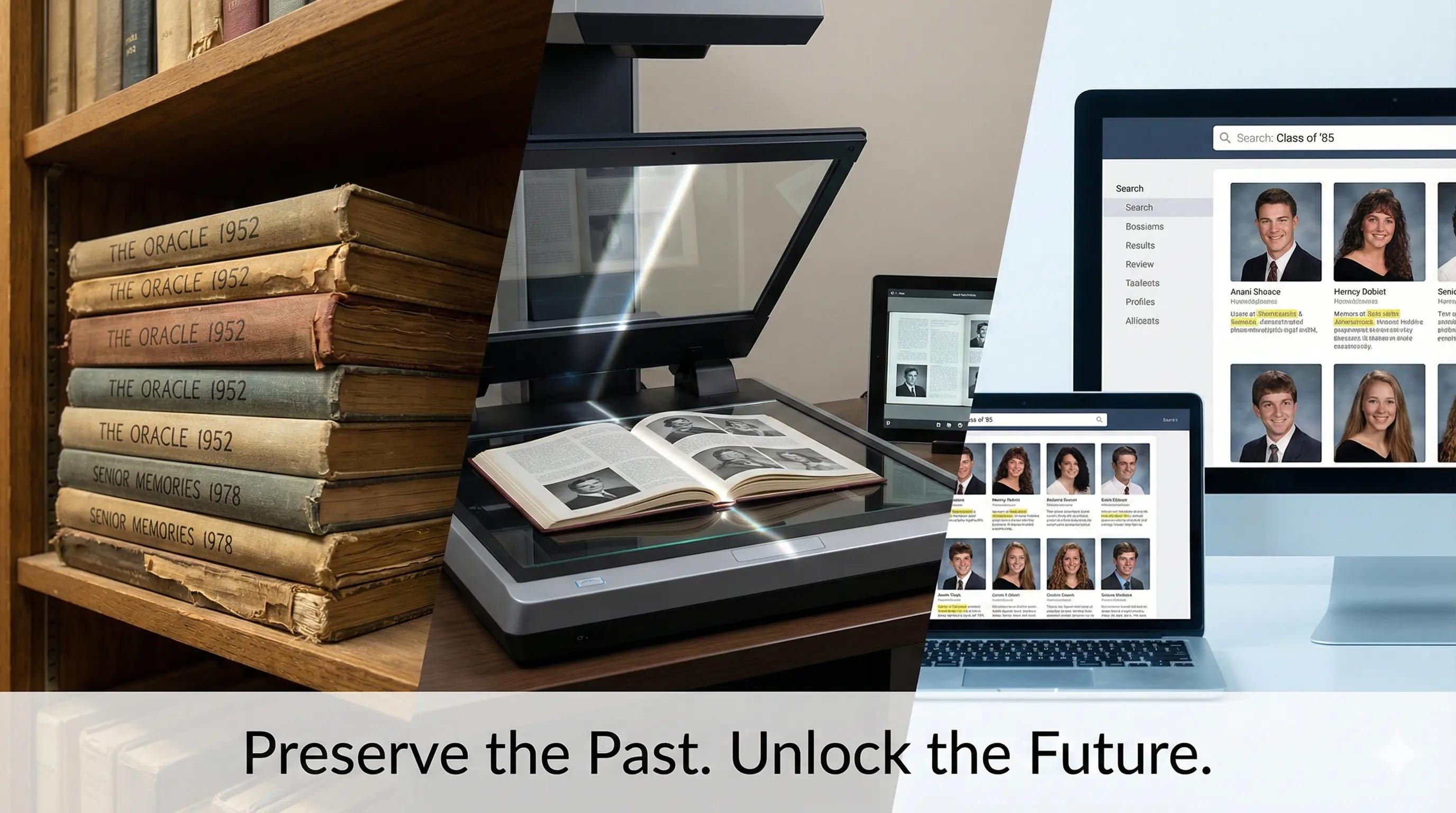
Old yearbooks are irreplaceable windows into institutional history. They capture student experiences, document social and cultural evolution, and preserve memories that define entire communities. Yet countless schools, universities, alumni associations, and libraries are sitting on deteriorating yearbook collections tucked away in basements, forgotten in attics, or taking up valuable shelf space while remaining largely out of reach for the people who would cherish them most.
Here's a sobering reality: according to the Society of American Archivists, paper-based materials stored in typical indoor conditions deteriorate significantly within 50 to 75 years. Many yearbooks from the 1970s and earlier already show visible signs of aging — yellowed pages, brittle bindings, fading photographs, and physical wear from decades of handling. Without a deliberate digitization effort, these irreplaceable historical records face inevitable loss as physical deterioration accelerates and institutional memory fades with each passing generation.
Fortunately, the process of digitizing old yearbooks has evolved dramatically. What once required specialized expertise and major budgets can now be accomplished by institutions of virtually any size using accessible modern technology. Whether you're a school librarian managing decades of publications, an alumni association trying to reconnect distant graduates, or an archivist preserving community history, this comprehensive guide walks you through every phase of the journey — from initial planning and copyright considerations through scanning, quality control, metadata organization, long-term preservation, and modern display solutions that transform static archives into genuinely engaging interactive experiences.
Why Digitize Your Yearbook Collection? The Real Benefits
Before investing time and resources into a digitization project, it's worth understanding the specific benefits that make this effort worthwhile.
Preservation and Access: Protecting History That Can't Be Replaced
Physical yearbooks face constant threats. Environmental factors like humidity, temperature fluctuations, and light exposure take a steady toll, and every time someone handles a physical yearbook, they accelerate its deterioration through the oils on their hands, the mechanical stress on the binding, and the inevitable wear of turning pages.
Digitization creates preservation copies that protect content regardless of what happens to the physical object. Once a yearbook is digitized, its contents remain accessible even if the original volume eventually deteriorates beyond use. This is especially important for yearbooks from the 1920s through the 1960s, when paper quality varied widely and binding methods were often far less durable than what we use today.
Beyond preservation, digitization dramatically expands who can actually access these materials. A physical yearbook exists in one place, accessible only during facility hours to people who can visit in person. A digital yearbook can be accessed around the clock from anywhere in the world — by alumni who moved across the country decades ago, researchers studying social history, genealogists tracing family connections, and current students exploring the heritage of the institution they're now part of. That shift transforms yearbooks from rarely consulted archival items into actively engaged community resources.
Enhanced Discoverability Through Searchable Content
Browsing a physical yearbook to find a specific person or event requires going page by page. Tracking down every appearance of a particular student across multiple yearbooks could take hours. Optical character recognition (OCR) technology applied during digitization transforms printed text into searchable digital content, enabling instant discovery across entire collections.
Users can search simultaneously across every yearbook in a collection and instantly locate every mention of specific names, sports teams, clubs, or activities spanning decades of publications. This proves valuable for alumni reconnecting with former classmates, researchers studying institutional history, advancement offices verifying graduation years and affiliations, and current students exploring program heritage.
Space Recovery and Resource Efficiency
Yearbook collections take up real space. A school with a century of yearbook history might be storing eight to twelve linear feet of volumes, while larger universities can accumulate far more. Once digital access is available, institutions can rethink their physical storage approach. Some keep a representative physical collection — perhaps one yearbook per decade — while storing the rest off-site or donating duplicates. Others keep complete collections but move them to less prime real estate once constant retrieval is no longer necessary.
Beyond the space itself, digitization reduces the staff time spent managing physical collections, monitoring for damage, retrieving volumes for researchers, and maintaining climate-controlled storage conditions.
Alumni Relations and Engagement
Digital yearbook systems become powerful tools for alumni engagement. Graduates can browse their yearbooks from anywhere, share pages on social media, and reconnect with classmates they haven't seen in years. This strengthens alumni networks and maintains emotional connections to institutions in meaningful ways.
For advancement and development offices, accessible yearbook archives support donor cultivation through relationship-building conversations grounded in shared experiences, make reunion planning easier through straightforward participant identification, bolster legacy giving campaigns by celebrating multi-generational family connections, and provide compelling content for social media campaigns during fundraising periods. Modern digital recognition solutions allow institutions to integrate digitized yearbooks with interactive displays, creating welcoming alumni gathering spaces where visitors can explore institutional history while reconnecting with the community that shaped their lives.
Phase 1: Planning Your Yearbook Digitization Project
Successful digitization starts with thoughtful planning — not with scanning. Establishing clear scope, priorities, and processes upfront ensures consistent results and makes the project sustainable over time.
Conducting Inventory and Assessment
Start by systematically cataloging your complete yearbook collection. Count every volume including both primary yearbooks and any supplementary publications, identify gaps noting missing years, assess physical condition to flag anything requiring special handling, determine where collections are stored if they're spread across multiple buildings, and identify any duplicate copies that might be available for more aggressive scanning approaches if needed.
You'll also want to document the physical characteristics of the collection, since these directly affect your digitization approach. Note size variations (yearbooks range from standard 8.5 by 11 inches to large-format 11 by 14 inch or custom sizes), binding types (perfect bound, spiral, and sewn bindings all require different handling), page counts, whether content is color or black and white, and any special materials like tissue guards, tipped-in photos, or fold-out pages needing careful attention.
Not everything needs to be digitized at the same time. Establishing priority tiers helps you focus resources where they matter most. The most urgent materials are the earliest yearbooks most at risk of loss, volumes with significant physical damage, and years with the highest research demand. Close behind are recent decades with active alumni populations, historically significant periods, and volumes that complete chronological runs. Well-preserved materials with lower consultation frequency fall into a medium priority category, while recent yearbooks already created digitally, duplicate copies, and supplementary publications can typically wait.
Establishing Project Goals and Success Criteria
Clear goals guide every decision you'll make throughout the project. Whether your primary objective is preservation, access expansion, enabling searchability, recovering storage space, supporting alumni engagement, or integrating historical materials into curriculum, knowing what you're working toward matters enormously.
Make your success criteria specific and measurable. Examples like "digitize 75 yearbooks representing 1950 through 2026 within 18 months," "achieve 95% or better OCR accuracy enabling reliable full-text search," or "increase alumni website engagement by 30% through yearbook access" give you something real to evaluate against when the project wraps up.
Understanding Copyright and Legal Considerations
Yearbook digitization involves copyright questions that deserve careful thought before you begin. In the United States, copyright status depends largely on publication date. Works published before 1928 are generally considered public domain and can be digitized freely. Publications from 1928 through 1963 depend on whether proper copyright notice appeared and whether the copyright was renewed — many weren't, meaning they entered public domain. Works from 1964 through 1977 may be protected regardless of notice, and post-1977 publications are protected for 95 years from publication or 120 years from creation, whichever is shorter.
Many schools and universities claim copyright ownership of yearbooks they commissioned and published, even when student committees did the actual work. If your institution originally published the yearbooks you're looking to digitize, you likely already have the rights to do so. Consulting legal counsel or a copyright specialist before beginning a large project is a sound investment.
Even when ownership is genuinely unclear, digitization may qualify as fair use given the educational and archival purpose, the factual and historical nature of yearbooks, and the fact that digitizing old yearbooks is unlikely to harm any existing commercial market — particularly when access is appropriately controlled.
Most institutions proceed with a practical set of precautions: focusing initial efforts on yearbooks published before 1964, restricting access to authenticated institutional affiliates rather than making everything publicly available, disabling downloading and printing while allowing online viewing, including copyright notices on all digital versions, and establishing a simple process for individuals to request content removal if concerns arise.
Privacy considerations matter alongside copyright. Most institutions establish minimum age thresholds — typically digitizing yearbooks at least 20 to 30 years old — to respect current students' reasonable expectation that their yearbook photos remain within their original context rather than becoming permanently searchable online.
Budget Development and Resource Allocation
Realistic budgets prevent unpleasant surprises midway through a project. Equipment costs vary widely depending on your approach. Quality flatbed scanners capable of handling bound volumes run between $800 and $3,000. Specialized overhead book scanners designed to minimize stress on bindings cost anywhere from $3,000 to $25,000. A capable workstation for image editing will run $1,000 to $2,500, and storage infrastructure typically adds $500 to $3,000 more.
On the software side, professional OCR tools like ABBYY FineReader cost $199 to $500 per license, while Adobe Acrobat Pro runs $180 to $240 annually. Digital asset management systems for organization and delivery can range from $1,000 to $10,000 or more annually depending on scale.
Labor typically represents the largest expense. Experienced operators spend roughly 15 to 30 minutes per yearbook on scanning setup, five to ten minutes on quality control review, ten to twenty minutes on OCR processing and verification, and ten to thirty minutes creating metadata. A 50-yearbook project might require 50 to 75 hours of total labor assuming you're working with volunteer or existing staff time.
For institutions that lack the equipment, expertise, or staff capacity to handle this internally, professional digitization services are a real option. Basic scanning services typically charge $3 to $8 per page, while premium services including OCR, metadata, and delivery run $10 to $15 or more per page. Complete turnkey solutions from specialized yearbook digitization companies provide the whole package including hosting and search platforms designed specifically for educational institutions.
Phase 2: Preparation and Technical Specifications
Good preparation prevents costly re-work and ensures your digital files meet both current needs and long-term preservation requirements.
Preparing Physical Yearbooks for Scanning
Careful preparation protects original materials while ensuring scan quality. Gently dust covers and page edges using soft brushes or microfiber cloths, remove any loose materials inserted between pages, and document any existing damage or stains without attempting to clean them — introducing moisture or cleaning agents to fragile paper can cause real harm. For particularly fragile or damaged yearbooks, consulting a conservation professional before handling is worth the investment.
Binding condition determines which scanning method is appropriate. Tightly bound yearbooks that don't open flat require specialized equipment or professional scanning to avoid damage. Spiral or wire-bound volumes typically scan easily on standard flatbed scanners. Yearbooks with damaged bindings may require stabilization or careful page-by-page scanning. The rule is simple and worth repeating: never force a yearbook open beyond its natural flexibility. Excessive pressure can permanently damage bindings and tear pages from volumes.
During scanning, small acid-free paper markers noting pages that need re-scanning, checklists tracking each yearbook's progress through your workflow, and photographs documenting any physical damage before scanning all help ensure nothing gets missed.
Determining Optimal Scanning Specifications
Scanning specifications balance file quality against storage requirements and processing efficiency. Resolution, measured in dots per inch (DPI), is one of the most important choices you'll make. At 300 DPI — the minimum acceptable for text reproduction — you'll get clear, readable text and adequate photo reproduction with typical file sizes of 5 to 15 megabytes per page. At 400 DPI, you get enhanced quality appropriate for yearbooks with important photographic content, at 8 to 25 megabytes per page. Archival-quality scanning at 600 DPI produces file sizes of 20 to 50+ megabytes per page and is appropriate for rare or historically significant materials where maximum information capture is critical. Most institutions use 300 to 400 DPI for general collections.
For color depth, 24-bit color is standard for color yearbooks from the 1960s onward, capturing 16.7 million colors and providing photographic-quality reproduction. 16-bit grayscale works well for yearbooks printed entirely in black and white. One-bit bitonal (pure black and white with no gray tones) is only appropriate for text-only documents without photographs.
File format choices should serve both immediate and long-term needs. Uncompressed TIFF files — at 20 to 50+ megabytes per page — are the industry standard for archival preservation, preserving maximum information without any quality loss. PDF/A, the archival PDF format, is ideal for primary access delivery because it supports embedded OCR making entire documents searchable. Web-optimized JPEGs, compressed to roughly 150 to 250 kilobytes per page, work well for serving content through custom interfaces. The recommended workflow is to scan to uncompressed TIFF as archival masters, create PDF/A versions with embedded OCR for primary access, and generate web-optimized JPEGs if you're serving content through a custom viewing interface.
Selecting Scanning Methods and Equipment
Your choice of scanning approach should match your materials, budget, and quality requirements.
Flatbed scanners in the $800 to $3,000 range are affordable, familiar, and deliver high-quality results when used properly. They work particularly well for spiral-bound yearbooks and institutions with limited budgets and flexible timelines. Their main limitations are the potential for binding stress if yearbooks don't open completely flat, slower scanning speeds of one to three minutes per page, and the labor intensity of manually turning every page.
Overhead book scanners are specifically designed for bound materials. Books rest in V-shaped cradles that minimize stress on bindings, operation is faster at roughly 30 to 60 seconds per page pair, and built-in glass pressure plates ensure flat pages. These are the right choice for large projects, historically valuable collections, and institutions that are planning ongoing scanning programs. Costs range from $3,000 for entry-level models to $25,000 or more for professional library equipment.
Smartphone and tablet apps offer a zero-cost entry point for small pilot projects, testing workflows before major equipment investments, or scanning supplementary materials. The quality limitations — lower resolution, inconsistent lighting, limited batch processing — make them unsuitable as a primary approach for large collections.
Professional scanning services make sense when your project scale exceeds internal capacity, your materials are too fragile to handle in-house, you need rapid completion, or when the cost of staff time for a DIY approach would actually exceed the cost of outsourcing. Expect to pay $3 to $15 per page depending on specifications, which translates to roughly $600 to $3,000 per 200-page yearbook.
Phase 3: The Digitization Process
Systematic workflows ensure consistent quality while keeping the project moving forward at a reasonable pace.
Establishing Efficient Scanning Workflows
Before scanning each yearbook, verify its identification by confirming the year, volume name, and page count, document its physical condition, prepare a clean and well-lit workspace, organize digital folders following consistent naming conventions, and set your scanner to predetermined specifications.
During the actual page capture process, open each yearbook carefully without forcing the binding, position pages evenly on the scanner bed or within the camera frame, check the preview to confirm the entire page is captured and properly aligned, scan the page, and do an immediate quality check before closing the book. Mark any pages that need re-scanning before moving on.
Consistent file naming is essential for long-term organization. A structure like 1975_Yearbook_001.tif works well, using leading zeros so files sort properly digitally. Store each yearbook's files in a dedicated folder within a logical hierarchy, such as Yearbooks/1975/raw_scans/.
In terms of realistic throughput, experienced operators typically scan 40 to 60 pages per hour on flatbed scanners, while overhead book scanners can push that to 60 to 120 pages per hour. A 200-page yearbook therefore requires roughly two to four hours of active scanning time, plus setup and quality control. Building in time for breaks and inevitable workflow disruptions will make your project timeline more accurate.
Implementing Quality Control Procedures
Quality assurance during scanning prevents the frustrating discovery of problems after physical yearbooks have been returned to storage. After scanning every five to ten pages, review the captured images checking for sharpness (text should be crisp and clearly readable at 100% zoom), proper alignment and centering, completeness including margins and page numbers, accurate color tones, minimized binding shadows, and absence of scanning artifacts or digital distortion.
After completing each yearbook, review 10 to 15 percent of pages systematically — not just the first and last — to check that the page sequence is complete with no missing or duplicated pages, verify file names follow your established conventions, confirm all files open properly without corruption, and compare the digital page count against the original yearbook.
Maintaining a log documenting physical damage that prevented optimal scanning, technical problems requiring re-scanning, decisions made about difficult pages, and time spent on each yearbook gives you valuable reference material and helps improve your process for subsequent volumes.
Applying Optical Character Recognition (OCR)
OCR technology transforms scanned images into searchable text, dramatically increasing the practical usefulness of digitized yearbooks. Among professional-grade tools, ABBYY FineReader is widely considered the industry leader in accuracy, supporting 198 languages and handling complex layouts with text and image content mixed together. It's priced at $199 to $500 depending on the edition. Adobe Acrobat Pro DC offers a familiar interface with strong OCR capabilities at $180 to $240 annually. For those working on tighter budgets, Tesseract OCR is an open-source engine that powers many commercial products, though it requires more technical expertise to use directly. OCRmyPDF is an excellent command-line tool for adding OCR layers to existing PDFs in batch processing workflows.
For best OCR results, ensure your scans are at least 300 DPI with good focus, use batch processing capabilities to work efficiently, configure the software for the correct language, preserve original scanned images while adding OCR as a text layer rather than replacing the images, and verify accuracy by reviewing sample pages with particular attention to names and numbers.
Accuracy expectations vary meaningfully by era. Well-printed modern yearbooks from the 1990s onward typically achieve 98 to 99 percent accuracy. Mid-century yearbooks from the 1950s through 1980s deliver 95 to 98 percent accuracy depending on print quality. Earlier yearbooks from before 1950 may yield 85 to 95 percent accuracy due to older printing technologies and paper degradation. Handwritten content remains challenging at 50 to 70 percent accuracy at best. Perfect accuracy is an unrealistic target, but 95 percent or better makes yearbooks effectively searchable despite occasional errors.
Creating Multi-Format Output Files
Different audiences and applications require different file formats, which is why a multi-format output strategy serves institutions best. Master archive files should be uncompressed TIFFs stored as permanent preservation masters, organized in archival storage with redundant backups across multiple locations. These should never be edited or compressed — treat them as the original source for all derivative files. Primary access files in PDF/A format should include embedded OCR text layers, bookmarks for major sections, and metadata such as title, year, and page count, with file sizes optimized through appropriate JPEG compression at roughly 70 to 80 percent quality. Web-optimized JPEGs targeting 150 to 250 kilobytes per page with embedded basic metadata support fast-loading custom viewing interfaces and responsive design across device sizes.
Phase 4: Organization, Metadata, and Delivery
Scanning produces digital files. Organization and delivery systems are what determine whether those files actually become useful, accessible resources.
Developing Comprehensive Metadata Schemas
Metadata makes content discoverable and provides essential context. At the publication level, every yearbook entry should capture the official title, institution name, publication year, volume number, physical description including page count and dimensions, editor and staff information if documented, publisher details, scanning date and operator, and technical specifications. At the page level, useful metadata includes page number, section identification such as class sections, sports, or faculty, primary content type, names identified on the page, activities or organizations featured, and specific dates if shown.
For institutions willing to invest in detailed indexing, item-level metadata connecting individual names with standardized spelling, graduation year, activities, sports, leadership positions, and links to other yearbooks featuring the same individuals creates a genuinely powerful research tool.
Metadata creation approaches range from fully manual indexing — the most accurate but most labor-intensive option — to semi-automated approaches that rely on OCR text for basic full-text searching with manually created section-level metadata. Some institutions have found success with crowdsourced enhancement programs that invite alumni to tag photos, identify classmates, add contextual information about activities and events, and correct OCR errors. Crowdsourcing works best with clear contribution guidelines and active moderation to prevent inaccurate or inappropriate content.
Implementing Storage and Backup Systems
Digital files require carefully planned storage to ensure genuine long-term preservation. For primary storage, Network Attached Storage (NAS) provides centralized access for multiple users. Cloud storage services like Google Drive, Dropbox, or institutional systems offer accessibility with built-in redundancy. Local servers with RAID configurations protect against individual drive failures.
To estimate your storage needs: TIFF masters typically require 20 to 50 megabytes per page, PDF/A access copies take 2 to 10 megabytes per page, and JPEG web derivatives need about 0.15 to 0.5 megabytes per page. For a 50-yearbook project averaging 200 pages each, expect to need roughly 225 to 605 gigabytes total — well within the capacity of modern storage systems.
For backup strategy, follow the widely-accepted 3-2-1 rule: maintain three copies of files on two different media types, with one copy stored off-site. In practice, this means a primary copy on your main server or cloud storage for production use, a secondary copy on external hard drives stored at your facility, and a tertiary copy on either a cloud backup service or external drives kept somewhere else entirely. Update all backups immediately after scanning new content, after adding metadata or creating derivatives, and after any corrections or enhancements.
Technology evolves, and file formats can become obsolete. Plan for periodic format migration, monitoring viability every five to ten years and documenting any migrations to maintain a complete chain of custody.
Selecting Delivery and Access Platforms
Digitized yearbooks need delivery systems that make content genuinely accessible to the people it's meant to serve.
Institutional repository systems at colleges and universities offer real advantages — they're already maintained by library or IT departments, they provide permanent URLs and digital object identifiers ensuring long-term findability, and there are typically no additional costs if the infrastructure already exists. The trade-off is that they're usually designed for scholarly materials rather than yearbooks specifically, and they may lack yearbook-specific features like intuitive browsing, name searching, or reunion planning tools.
Dedicated yearbook platforms designed specifically for digitized collections offer features more naturally suited to the material — intuitive page-turning interfaces, name search and tagging enabling alumni to find themselves quickly, social sharing tools for reunion planning, mobile-optimized access, class year navigation, privacy controls for takedown requests, and usage analytics. Pricing varies from free basic services to premium platforms charging monthly or per-yearbook fees.
For institutions implementing broader digital recognition and historical display initiatives, comprehensive digital asset management solutions like TouchStone Digital Solutions provide integrated platforms that combine yearbook management with broader institutional content, connect yearbook archives to interactive touchscreen displays throughout campus, integrate with alumni databases and advancement systems, provide role-based access controls, and support both archival preservation and public engagement. This kind of integrated approach proves particularly valuable when yearbook content is one piece of a larger institutional storytelling initiative.
Phase 5: Modern Display and Engagement Solutions
Digitized yearbooks don't have to remain purely archival resources. Modern technologies transform static content into genuinely engaging interactive experiences that bring institutional history into the spaces where people naturally gather.
Interactive Touchscreen Displays
Physical spaces throughout institutions become opportunities for yearbook engagement when outfitted with strategically placed touchscreen displays. High-traffic installation locations include main lobbies and entrance areas welcoming visitors, alumni centers and gathering spaces, athletic facilities connecting current programs to their historical roots, libraries and learning commons, and reunion event venues where reminiscence and connection are already in the air.
Modern interactive systems designed for educational institutions provide yearbook-specific features including instant search across decades of digitized content, class year browsing enabling quick navigation to specific eras, name search that locates every appearance of an individual across all available yearbooks, zoom capabilities for examining details in group photos, photo comparison tools showing how people, facilities, or traditions evolved over time, and social sharing allowing visitors to email or text pages to themselves.
Comprehensive touchscreen recognition systems connect yearbook content to broader institutional materials — athletic achievement records and statistics, alumni success stories and career highlights, institutional timelines showing major milestones, faculty and staff recognition, and donor acknowledgment. This integration creates rich contextual understanding. Someone exploring a specific graduation year can discover which championship teams won that year, which notable alumni graduated, and how the campus looked at that moment in time.
Mobile and Remote Access
Yearbook engagement should extend well beyond campus. Responsive designs ensure that yearbook browsing works seamlessly on smartphones and tablets where alumni increasingly access content during free moments rather than dedicated computer time. The ability to share yearbook pages or highlights via social media platforms, shareable URLs, email, text message, or QR codes on physical displays expands the reach of this institutional history in natural, organic ways.
Digital yearbooks also support virtual reunion experiences through screen-sharing during video calls, collaborative viewing with multiple users exploring content together, trivia and reminiscence activities based on yearbook content, and digital memory books combining historical content with current updates.
Analytics and Continuous Improvement
Modern digital systems generate valuable usage data that can meaningfully inform ongoing decisions. Tracking total views and most-viewed yearbooks, search queries revealing what users are actually looking for, peak usage times around reunion weekends and homecoming, user demographics and locations showing who's engaging, and which pages and sections attract the most attention all give institutions real information to work with.
Analytics inform decisions about digitization priorities (which additional yearbooks deserve immediate scanning based on demonstrated demand), metadata enhancement (which yearbooks would benefit most from detailed name indexing), alumni engagement programming aligned with actual usage patterns, content promotion for underutilized materials, and technical improvements addressing usability issues revealed by real user behavior.
Advanced Considerations and Special Situations
Extremely Fragile or Damaged Yearbooks
Before attempting to digitize severely damaged materials, consult a conservation professional who can stabilize loose or torn pages, remove damaging materials like acidic inserts or deteriorating adhesives, advise on safe handling, and recommend specialized digitization approaches. Extremely fragile materials may require page-by-page disbound scanning (only appropriate for duplicate copies or materials beyond saving), professional services with specialized equipment, or photographic documentation as an alternative to traditional scanning. These should be prioritized for immediate digitization before further deterioration makes the situation worse.
Non-Standard Formats
Oversized yearbooks exceeding standard scanner capacities may require overhead scanners with large capture areas, professional services with large-format equipment, or section-by-section scanning with digital stitching. Tightly bound volumes should be handled with overhead scanners using V-cradles rather than forcing them open flat — accepting some binding shadow in scans is a far better outcome than damaging the original. Yearbooks with unusual materials like fabric covers, tipped-in photographs, or fold-out pages require extra care and separate documentation.
Multilingual Yearbooks
International schools or institutions with multilingual communities face additional OCR complexity. Languages using non-Latin scripts such as Arabic, Chinese, or Japanese require specialized OCR configurations. Mixed-language pages may need manual section-by-section processing with language settings adjusted accordingly. Metadata for multilingual collections should include language identification, bilingual title fields where appropriate, and Unicode character encoding to ensure proper display of all characters.
Privacy and Takedown Procedures
Even with the best intentions, privacy concerns will occasionally arise. Proactive measures including minimum age thresholds for digitization, authentication requirements for access, image watermarking, and disabled downloading all reduce friction. When concerns do arise, a clearly communicated takedown policy covering a simple request mechanism, defined response timeline (acknowledge within 48 hours, complete removal within two weeks), scope of removal options, and documented records of requests handled allows institutions to respond efficiently while maintaining appropriate historical records. Most requests involve minor concerns that can be resolved quickly when clear processes already exist.
Measuring Success and Long-Term Sustainability
Project Completion and Assessment
As initial digitization phases wrap up, take time to verify that all planned yearbooks were successfully digitized, storage and backup systems are functioning properly, access platforms are working correctly for the intended audience, documentation is thorough enough that future staff can maintain systems without institutional knowledge gaps, and the project came in within budget parameters with stakeholders responding positively to results. Documenting what worked, what didn't, and what you'd do differently provides genuine value for future project phases and for peer institutions undertaking similar work.
Ongoing Maintenance and Expansion
Digital preservation is a continuous commitment, not a one-time project. Plan to incorporate each new yearbook as it's published, maintaining collection currency with consistent standards. Systematically enhance existing digitized content by adding detailed name indexing to high-demand yearbooks, incorporating crowdsourced identification, re-scanning early attempts that don't meet current quality standards, and developing derivative products like video retrospectives or anniversary compilations.
Monitor the technology supporting your program and upgrade components as needed — aging equipment, outdated software platforms, and interfaces that no longer match current design standards all eventually require attention. Test file integrity periodically to catch any corruption before it becomes a serious problem.
Perhaps most importantly, actively promote the digitized collection. Yearbooks deliver value only when people engage with them. Promote through alumni communications during reunion periods, integrate historical content into institutional social media for anniversaries, feature yearbook archives in fundraising and engagement campaigns, support faculty who want to incorporate historical materials into curriculum, and enable student research projects using yearbook content.
Conclusion: Transforming Archives Into Living Community Resources
Digitizing old yearbooks is about far more than simple preservation. It's about transforming static archival materials into dynamic engagement tools that connect current communities to their institutional heritage while ensuring irreplaceable historical records survive for the generations that come after us.
The comprehensive approach laid out in this guide — from systematic planning and copyright analysis through scanning best practices and metadata organization to modern display and delivery solutions — provides a solid foundation for success regardless of your institution's size or available resources. Whether you're a small high school digitizing decades of yearbooks with volunteer labor and a flatbed scanner or a major university implementing professional services for a massive collection, the core principles remain consistent: establish clear goals, maintain quality standards, organize systematically, and make content genuinely accessible to the people it belongs to.
Modern technologies have made yearbook digitization more feasible than ever before. Projects that once required specialized expertise and six-figure budgets now succeed through modest equipment investments and careful workflow design. More importantly, digitization no longer means simply creating PDF files stored on a server somewhere. Integrated digital recognition solutions now allow institutions to transform yearbook content into engaging interactive experiences throughout physical campuses while simultaneously providing remote access that serves alumni communities wherever they are in the world.
Don't let perfection become the enemy of progress. Start with a realistic scope — perhaps the past 25 years or the most deteriorated decades in your collection — demonstrate value through a completed first phase, and expand systematically from there. Each yearbook successfully digitized represents preserved history, expanded accessibility, and a strengthened connection between past and present members of your community.
The yearbooks gathering dust in your storage rooms contain stories, memories, and institutional heritage waiting to reconnect with the people who lived those experiences and to introduce new generations to the traditions and achievements that built your institution. Digitization unlocks that potential, transforming yesterday's paper publications into tomorrow's engagement tools — celebrating the enduring connections that define educational communities across every generation.