Best Methods to Digitize Old Yearbooks: A Step-by-Step Guide
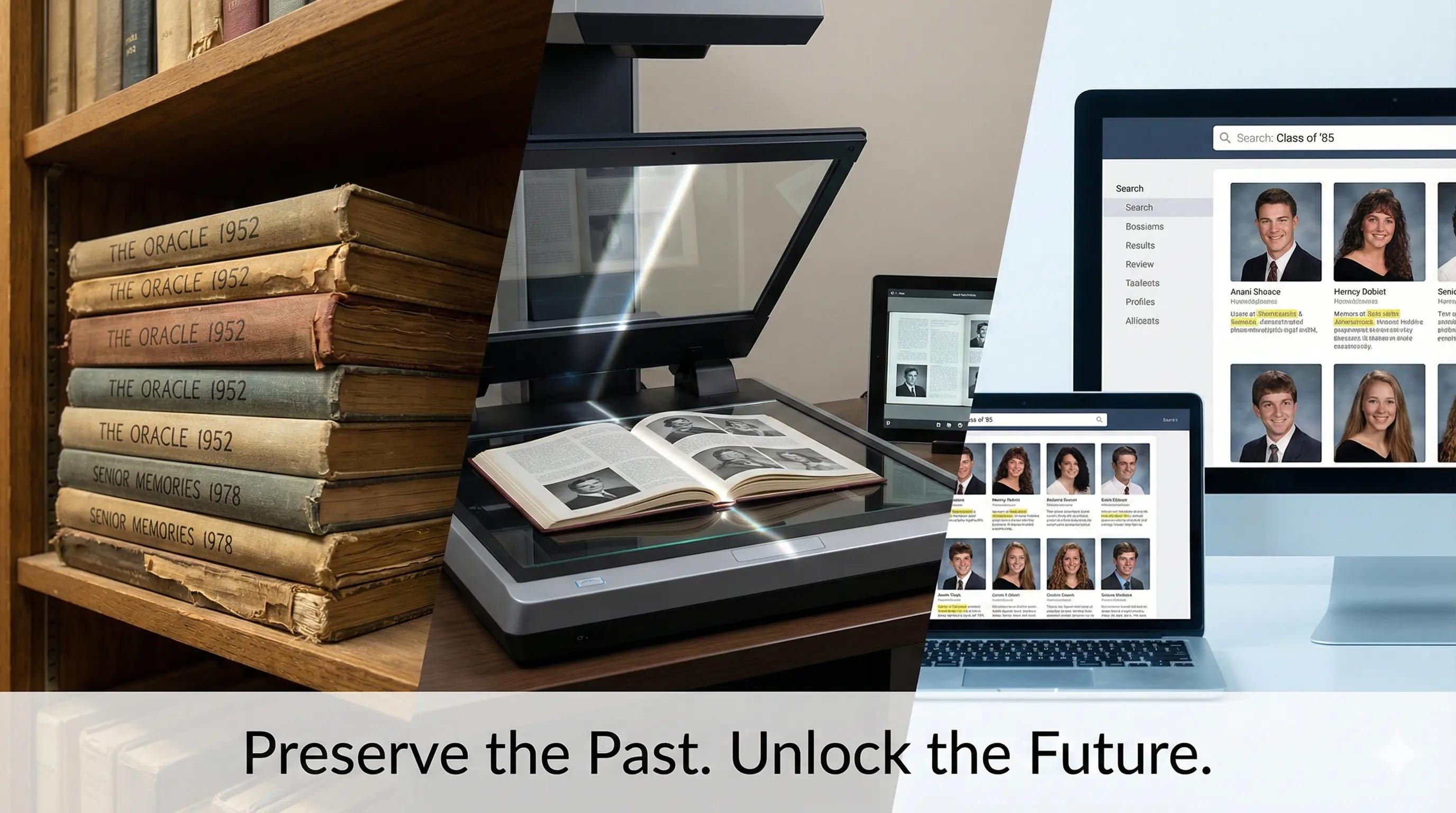
The old yearbook collection at your school isn't just collecting dust; it's a treasure trove of engagement opportunities and memories for reunion committees and historical societies. Understanding how to digitize old yearbooks turns those delicate pages into digital archives that can be shared and searched, connecting alumni, drawing in donors, and preserving your school's history for future generations.
This is your comprehensive, step-by-step manual for transforming those fading yearbooks into engaging digital content that is truly utilized.
Why Digitize Old Yearbooks? (Beyond the Observable)
Yes, preservation is crucial. However, astute schools are aware that digitizing yearbooks is essential for preserving local history. Using professional scanning services yields an unquantifiable return on investment. Not only are you saving paper, but you're also building relationships with current students who take pride in their school's past, potential families who select your school, and alumni who donate.
Step 1: Plan Your Old Yearbook Digitization Project
Establish Your Objectives First
Determine your goal before you touch a yearbook. Are you thinking of putting it on an interactive display, sharing it with alumni, or simply digitizing history? Everything from the final delivery format to the scanning resolution in the digitization of yearbooks depends on your objectives.
Evaluate Your Collection
Priority years should be identified, volumes should be counted, and their condition noted during the digitization process to ensure proper binding and preservation of school yearbooks. You can always add to the project later, so start with the high school yearbooks that are the most fragile or historically significant.
Verify the Requirements for Copyright and Privacy
You can't ignore the following legal information:
- In the United States, publications prior to 1928 are considered public domain, which can simplify the digitization process for older yearbooks.
- It is necessary to check yearbooks published between 1928 and 1963 for appropriate copyright notices and renewals during the digitization of yearbooks.
- Books published after 1977 are protected for 95 years, which is important to consider during the yearbook digitization process of yearbooks for schools.
- Provide a way for people who do not want their names or images to appear online to opt out in order to protect their privacy under FERPA regulations. This avoids future headaches in the digitization of yearbooks and fosters trust.
Step 2: Choose Hardware for Digitizing Old Yearbooks
Choosing a Scanner Made Easy
Choosing the right scanner is the single most important decision for any yearbook digitization project. Overhead camera-based scanning services are ideal for large-scale projects, delivering quick turnaround and minimal stress on the book's spine — though it's worth noting they can yield slightly reduced optical resolution. For fragile or rare yearbooks where image quality is non-negotiable, V-cradle flatbed scanning offers a non-destructive method that protects delicate pages while producing outstanding results, making it the preferred choice for small batches that demand precision. For institutions managing high-volume digitization programs, expert book scanners minimize manual handling and streamline the entire workflow, though high-resolution services may require a greater initial investment. Understanding the trade-offs between speed, quality, and cost across these three scanner types ensures your yearbook digitization project delivers archival-grade results that stand the test of time.
Step 3: Set Up Your Scanning Preferences
A Resolution That Is Truly Important
Avoid falling into the megapixel trap when selecting equipment for high-resolution yearbook scanning. What you actually need is this:
- Archival masters: Fine text detail is captured at 300 DPI when you scan and digitize your yearbooks. The ideal DPI for accurate text recognition is crucial in the yearbook digitization process to ensure legibility. for long-term preservation of digitization services.
- Web access copies: digitize your yearbooks for easy online access. 300 DPI is recommended for capturing high-quality yearbook images. strikes a balance between controllable file sizes and high-resolution quality.
- OCR processing: digitization services for high school yearbooks. The ideal DPI for accurate text recognition is 300.
Color Depth Selections
For color yearbooks, stick with high-quality scanning companies to ensure vibrant yearbook pages. 24-bit color enhances the quality of scanned yearbook images. (8 bits per channel in the yearbook digitization process can affect the quality of your digital output). It is the standard that strikes a balance between acceptable file sizes and quality. For black-and-white yearbooks, non-destructive scanning methods are crucial to preserve the original binding and integrity of the pages. 16-bit grayscale is often used in the scanning process for yearbook images. captures tonal details you'd lose with lower bit depths, enhancing the quality of your yearbook pages.
Strategy for File Formats
Everything downstream is impacted by the format you choose:
- Archival masters: Maximum quality is preserved in uncompressed TIFF files and digital files.
- Access copies: High-resolution digital copies of yearbooks should be made available to enhance accessibility for all students and their families. PDF/A with searchable OCR text embedded, making your online yearbook more accessible to reunion committees and historical societies.
- Web delivery: ensure digital access to your yearbook images. Optimized PDF or JPEG is a common format for storing high-resolution digital files of scanned yearbooks for quick loading.
Step 4: Configure the Digitization Workflow for Your Old Yearbook
Programs That Won't Battle You
The tedious tasks of scanning and digitizing your yearbooks can be automated with the correct software. In a single workflow, ScanPerfect and ScannX manage cloud uploads, OCR processing, and auto-cropping. For professional setups, Capture One CH performs exceptionally well with dual-camera book scanners used by scanning companies. ScanPapyrus saves hours of manual editing by automatically splitting two-page spreads, fixing skewing, and cleaning up backgrounds for batch processing.
OCR for Searchable Content
Your yearbooks become useful archives when you make them searchable, turning them from digital museum pieces. ABBYY FineReader generates dependable, searchable PDFs and supports the digitization of yearbooks in 198 languages. For smaller projects, OCR in Adobe Acrobat performs admirably, especially for digital copies.
Checkpoints for Quality Control
Include quality checks in your daily operations:
- While scanning, keep an eye on 5–10% of the pages for alignment, focus, and exposure.
- Before going on to the next book, check for missing pages.
- Check sample pages for OCR accuracy.
Step 5: Produce Engaging Digital Yearbook Content
Beyond Simple PDFs
This is the exciting part of digitizing old yearbooks and making them available online. Static PDF files are only the first step in the digitization process. Convert your digital yearbooks into engaging interactive materials that former students will want to peruse.
To create a comprehensive digital showcase where visitors can search by name, year, sport, or accomplishment across your entire collection, modern digital legacy software can integrate your digitized yearbooks with other school archives, including team photos, championship records, hall of fame inductees, class officers, and notable alumni.
Access That Responds to Mobile
Whether viewed on alumni smartphones or lobby touchscreens, your digital yearbooks should function flawlessly and be available online for all to enjoy. With cloud-based platforms, you can access your archives from anywhere at any time, facilitating the yearbook digitization process without having to deal with IT issues.
Step 6: Long-Term Access and Storage
A Reliable Backup Plan
Archival TIFF files should be kept on safe, redundant storage systems for accessibility. Disasters and hardware failures are prevented by using cloud storage with local backups. To detect file corruption early, keep checksums up to date and perform regular integrity checks on your digital files to ensure the safety of your school yearbooks.
Platforms for Delivery
Select platforms made for educational establishments. Large collections are handled by digital asset management systems with advanced search features, such as Islandora or Adobe Experience Manager, which facilitate the accessibility of scanned yearbook content. Browse, zoom, and search features tailored to school archives are available on custom yearbook portals.
Step 7: Get the Most Out of Your Investment in Digitized Old Yearbooks
Convert Archives into Tools for Engagement
Smart schools use their digital yearbooks as engagement tools, going beyond simple digitization. Interactive displays give prospective students and their families compelling storytelling experiences by showcasing yearbook content alongside recent accomplishments through high-resolution digital files created by yearbook scanning services. This addresses the main issues that schools face in the digitization process: accessibility and the need for non-destructive methods.
Regarding Public High Schools:
- Combine classroom and hallway space.
- Present a professional image to potential visitors and students by utilizing high-resolution digital copies.
- Make connections with donors, alumni, and students through the digitization process.
- Boost involvement in the community through accessibility initiatives.
- Acknowledge fundraisers and donors.
Regarding Universities and Private Schools:
- Find outstanding students, future leaders, and scholar-athletes by creating digital copies of their achievements in yearbooks.
- Honor the history, accomplishments, and unique character of your school.
- Honor the contributions made by donors and alumni in the preservation of local history through digitized yearbooks.
- Maintain your reputation as a cutting-edge company through high-resolution scanning services.
Alumni enjoy using searchable interfaces to find former classmates and memories. Stronger relationships, more people attending events, and yes, more donations are all results of this engagement. The return on investment is incalculable.
Beginning the Digitization of Old Yearbooks Now
The goal of learning how to digitize your yearbooks is to leave a legacy that will last forever, not just to preserve them through non-destructive methods. To test your workflow and gain confidence, start with a pilot project of five to ten bound volumes from your yearbook collection.
Starting with the appropriate strategy, resources, and reasonable expectations is crucial. It is important to remember the rich past of schools and to look forward to their promising future, especially through the yearbook digitization process. Your community will be genuinely engaged by the interactive digital wall of fame displays and extensive digital school archives built upon your digitized yearbooks, showcasing local history and high school yearbooks.
We at the yearbook scanning service, Touchstone Digital Solutions, assist educational institutions in converting their static archives into dynamic, captivating online content. Updating and growing your digital legacy over time is simple with our user-friendly content management system, guaranteeing that your investment will continue to yield returns for many years to come.